
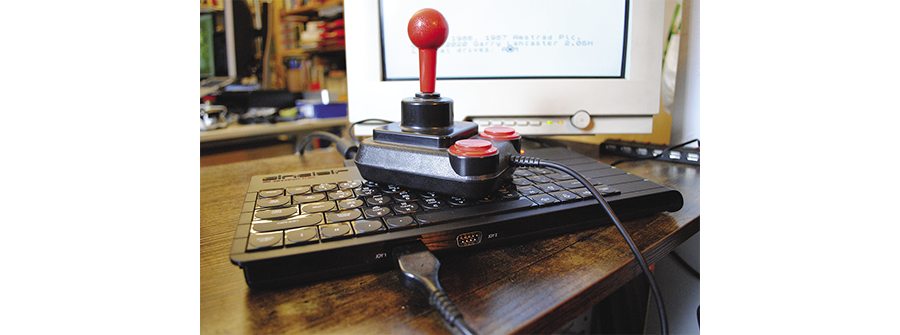
The Next Spectrum
They’ve done it again: After the ZX Spectrum Next development team at SpecNext ended their second successful Kickstarter campaign in 2020, backers had to wait until Christmas 2023 when they were finally able to put a new 8-bit computer under the tree. Was it worth the wait?
The Sinclair ZX Spectrum was one of the great home computers of the 1980s: Its first models from 1982 had a rubber keyboard and only 16KB or 48KB of RAM. Driven by a Z80 CPU that ran at 3.5MHz, owners would typically connect a cassette recorder and load games from tapes. Over the years, Sinclair made some improvements: For example, the ZX Spectrum+ had a better keyboard, and the culmination of the development process was the ZX Spectrum 128K with lots of RAM (also known as the “Toast Rack” model). After that, Amstrad bought Sinclair and released new Spectrum models with built-in cassette or disk drives, but those machines looked nothing like the old Speccies, and in 1992 the product line was discontinued.
That is, discontinued until 2016 when the Spectrum was revived by a team which included Rick Dickinson, the industrial designer who had in the past worked on several Sinclair machines. After some prototype work, SpecNext started a Kickstarter campaign for a Spectrum successor that they named “Spectrum Next”: The campaign ended in May 2017 with more than 3,000 backers. During production, the team had to overcome many obstacles, and in February 2020 they started shipping the machines. The new home computers have not only found lots of happy users, but also spawned a community of game developers. There are a number of excellent 8-bit games and other software titles that you can buy for the Spectrum Next, some of them are even available as physical media. The DVD boxes typically contain a booklet and an SD card that can be directly inserted into the Spectrum Next.
The SpecNext team then started a second Kickstarter, and when the pledging period ended in September 2020, they had attracted more than 5,000 backers. Again there were problems, and this time the situation was even worse than with the first Kickstarter: The main processor was no longer available in sufficient numbers, and so they had to do a complete redesign and switch to a different chip. In the end, all problems were solved, and in December 2023 the team started shipping the second generation of the ZX Spectrum Next. We’re looking at one of those new machines in this article. If you’ve missed out on backing the project, you might see a third Kickstarter in the near future, and some machines will be for sale on eBay, but you can also get a clone or play with an emulator.
Spectrum Next KS2
Many backers received their Spectrum Next just in time for Christmas – my own machine arrived early in December. Unpacking started with a small joke as there was an “R Tape cutting error, 0:1 - Do not open with a sharp instrument” warning in the old Spectrum screen font printed on the outer box – reminiscent of the Spectrum’s “R Tape loading error” message that appeared when a parity error occurred while loading a program from a tape.
From the outside, the KS1 (Kickstarter 1) and KS2 models look almost identical. If you want to quickly decide which model you’re looking at, check the screws: KS1 Spectrums came with silver screws, while the KS2 machines have black screws.
What’s Inside?
All members of the Spectrum family of computers have used a Zilog Z80 processor, and the Spectrum Next is no different. However, instead of a real Z80, the Next machines contain an FPGA chip. That’s a special kind of chip that can be programmed in a hardware description language and will then behave like the chip it is asked to emulate. This is not software emulation; an FPGA-based computer exactly replicates the functionality of classic processors, I/O devices, and other chips in hardware. In very simplified terms, this corresponds to emulation at the hardware level, and there are no restrictions as far as parallel processing on multiple components is concerned. That makes this approach much better than software emulation where concurrency often leads to timing problems.
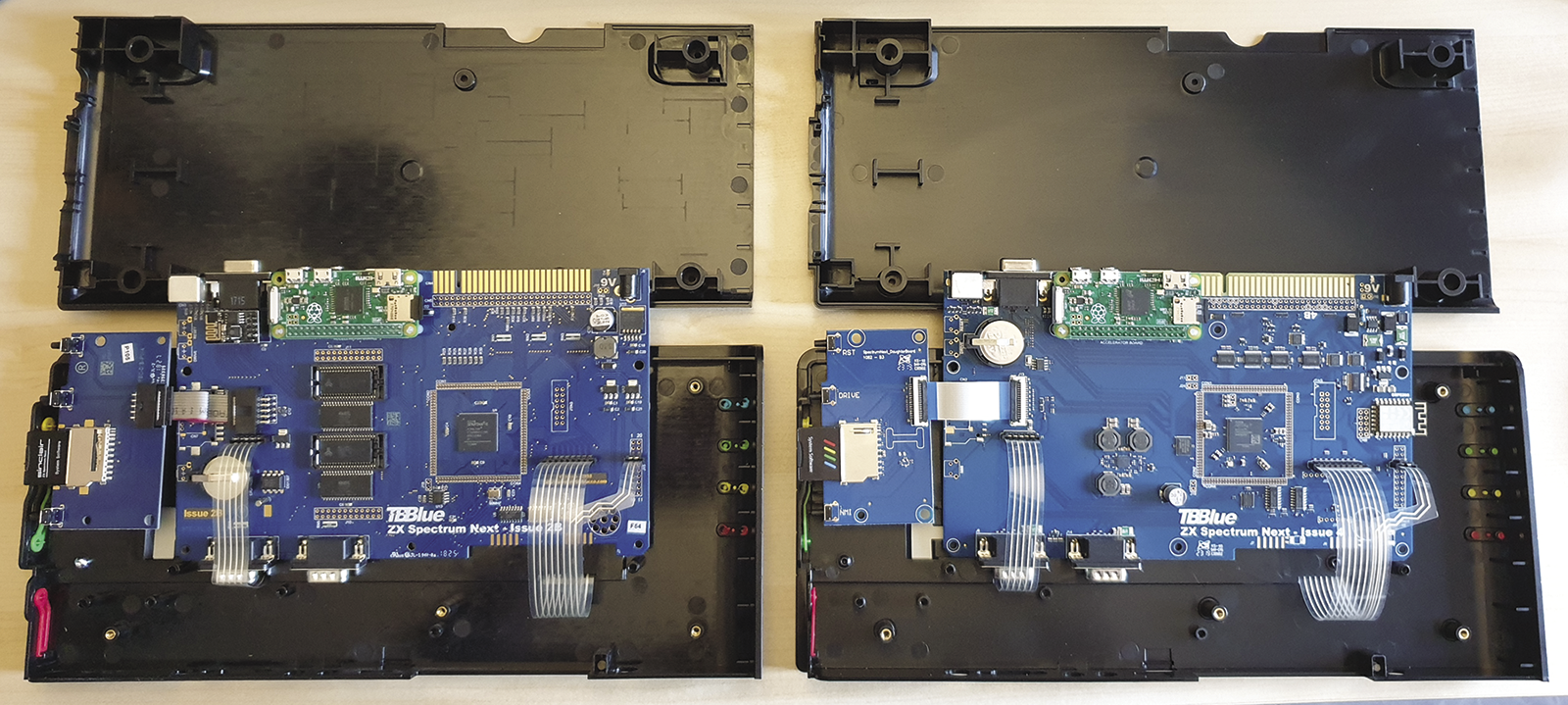
The KS1 Spectrum Next used a Xilinx Spartan-6 XC6SLX16 FPGA, and that’s the chip that was no longer available when the second Kickstarter ended. The team switched to another Xilinx chip, an Artix-7 XC7A15T. The new chip is similar to the old one but a bit more powerful.
The KS2 mainboard has been improved in many ways; there is a long video in which Mike Cadwallader describes some of the changes. For example, if a KS1 machine was connected to an HDMI monitor, in some situations it would not shut off fully when its power was cut, because the monitor supplied some power over the HDMI connection. This has been resolved by adding an extra chip. Another problem with KS1 machines occurred when users connected incompatible Amstrad joysticks which could cause a short-circuit and reset the computer. The KS2 adds a fuse that prevents this reset.
The main features of the new Spectrum Next are the same as for the KS1 model (Figure 1). The FPGA is configured to provide a Z80N chip (basically a Z80 with some extra instructions) that can run at 3.5MHz, 7MHz, 14MHz, and 28MHz. Every machine comes with 2MB of RAM, and you can connect the Spectrum Next to both old and new monitors (RGB, VGA, HDMI in 50Hz and 60Hz), plug in two classic joysticks with 9-pin connectors, add a PS/2 mouse or keyboard, and load programs from a real tape recorder. There’s WiFi connectivity, so you can download files from the Internet, and a Raspberry Pi Zero provides some extra functionality such as unpacking and playing back TZX archives – TZX is a popular archive format for ZX Spectrum software on cassettes. The machines also have an expansion bus which is compatible with the one in the classic Spectrum computers, so you can use an old floppy disk controller or a ZX Printer.
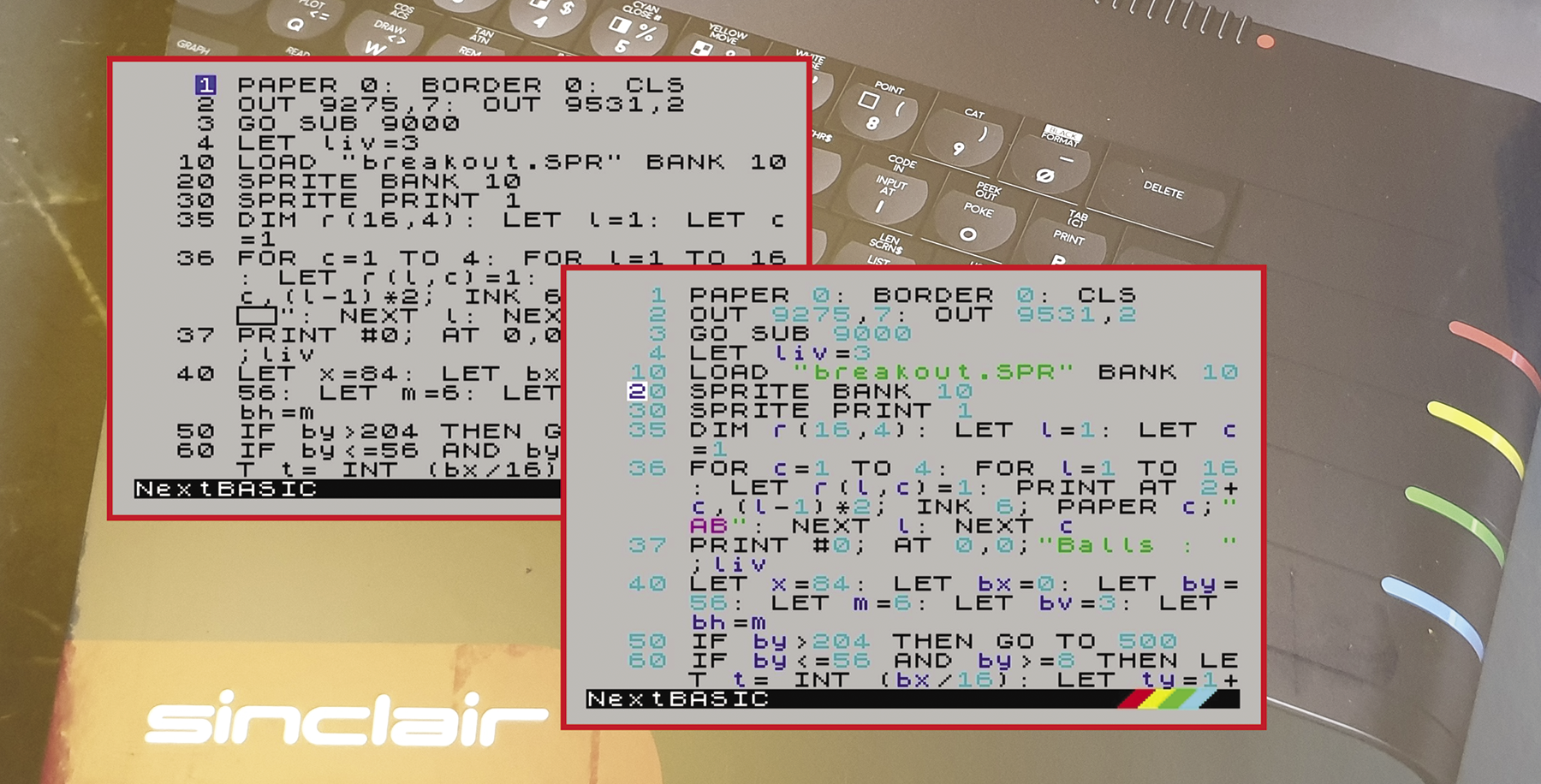
The KS2 Next has an updated BASIC editor that displays the code with syntax highlighting (Figure 2), and the power cable now has a switch with Spectrum-colored stripes that match the colors on the keyboard.
Software
When you start the Spectrum Next and quickly press Space, you can configure the video mode and choose the Spectrum model that the FPGA will emulate – this way you can turn the machine into a Spectrum 48K or 128K. Merely rebooting the machine does not let you enter this menu; you need to power the computer off and on to get back here. In most cases you will want to stick with the default settings, ZX Spectrum Next (standard).
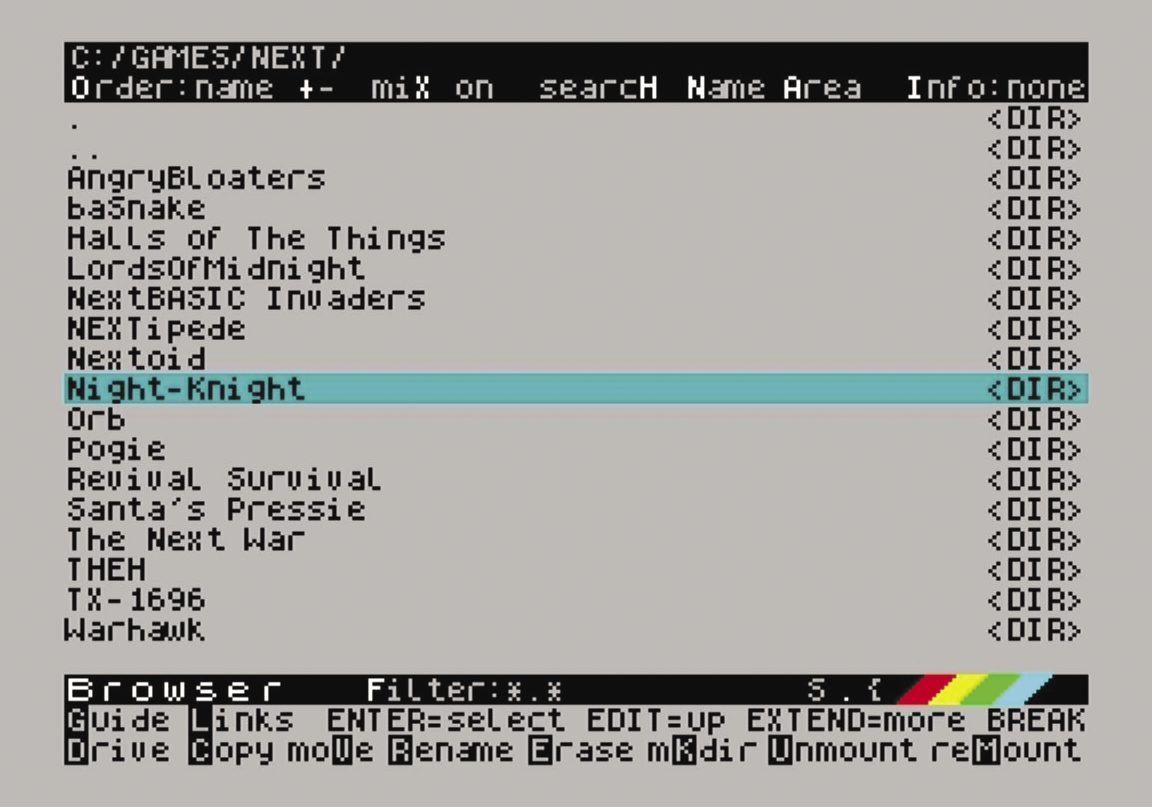
Next, the machine will display some welcome screens (which you can disable) and then show a menu. The first entry, Browser, launches the file manager which lets you navigate the folders on the SD card (Figure 3). Use the cursor keys to go from one entry to another and from one page to the next; select entries with Enter, go back to the parent directory with Edit. (Keys on the Spectrum have interesting names, for example, the modifier keys are called Symbol Shift and Caps Shift, and there is a Break key where you’d expect an Escape key.)
Native Next programs have a .nex extension; when you select such a file, the program will start after a few seconds. The list of native Next programs is limited, though it’s steadily growing. You’re not limited to native applications, though. Classic Spectrum programs work well with the modern machine, too. From the browser you can launch games and demos stored in .tzx, .tap, .sna, and .z80 formats. Some of these store the audio data from old software tapes, and when you select such a file, it will load in the classic way which can take several minutes. You also get the flickering border that you may remember from the old days.
The browser also supports many other file types; for example, it will open text files, images, and videos in appropriate viewers. Yes, the Spectrum Next can do video playback, though the quality is not very high.
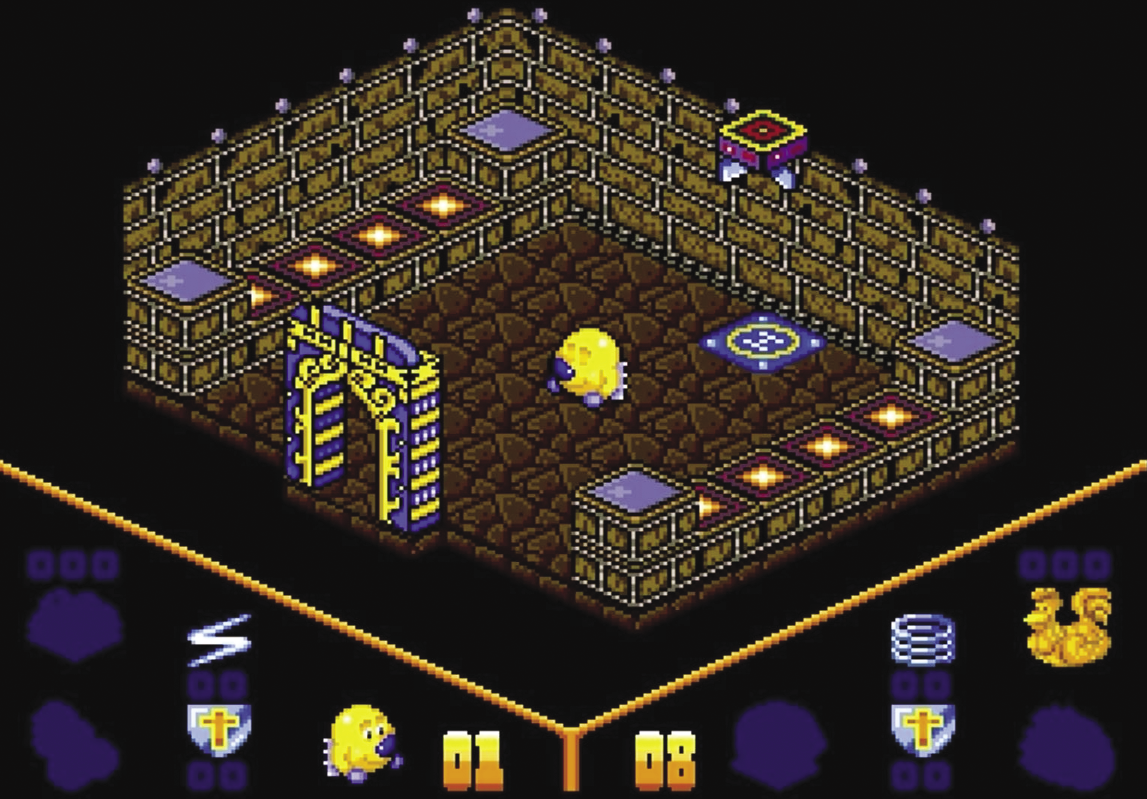
A special folder, KS2Extras, contains two brand-new games that have been developed for this Kickstarter campaign: Crowley World Tour 2 by Rusty Pixels and Night Knight. Backers can also download a brand-new version of the classic Head over Heels (Figure 4) from the Rusty Pixels website. That game was not finished in time to put it on the SD cards.
CP/M
When MS-DOS became the default operating system for IBM-compatible personal computers, it had not been invented from scratch. Instead, it had copied (and improved) many ideas from CP/M, an older system that was primarily used on computers with an Intel 8080 or a Zilog Z80 chip. With CP/M it was possible to use standardized, professional software, such as Wordstar or Turbo Pascal.
CP/M requires a floppy drive, and on the Spectrum Next you can emulate several such drives by assigning drive letters to disk image files. Using CP/M on the Spectrum Next has been simplified in comparison to the KS1 model, because the owners of the CP/M intellectual property have granted the right to use and distribute CP/M source code and binaries in 2022. Choose More | CP/M in the menu to auto-install a minimal CP/M system, and then do it again to boot the fresh installation. Via special import and export commands it is possible to transfer files between CP/M’s disk images and the regular FAT32 filesystem on the SD card: CP/M programs do not understand the FAT32 format.
While CP/M apps should run on any CP/M machine, there are a lot of incompatibilities that can make it tough to run a program. For example, floppy disk formats are not standardized, which means that many disk images that are available on Archive.org and other websites will be in a wrong format and CP/M on the Spectrum Next will not be able to access them. If you do manage to mount a disk image and access its files, programs may start but create garbled screen output, or your keyboard may lack an important key. I tried playing around with Turbo Pascal 3.0, and while I was able to compile and run a simple Pascal program, the application occasionally asked me to press the Escape key – which does not exist on the Spectrum Next keyboard.
WiFi and Downloaders
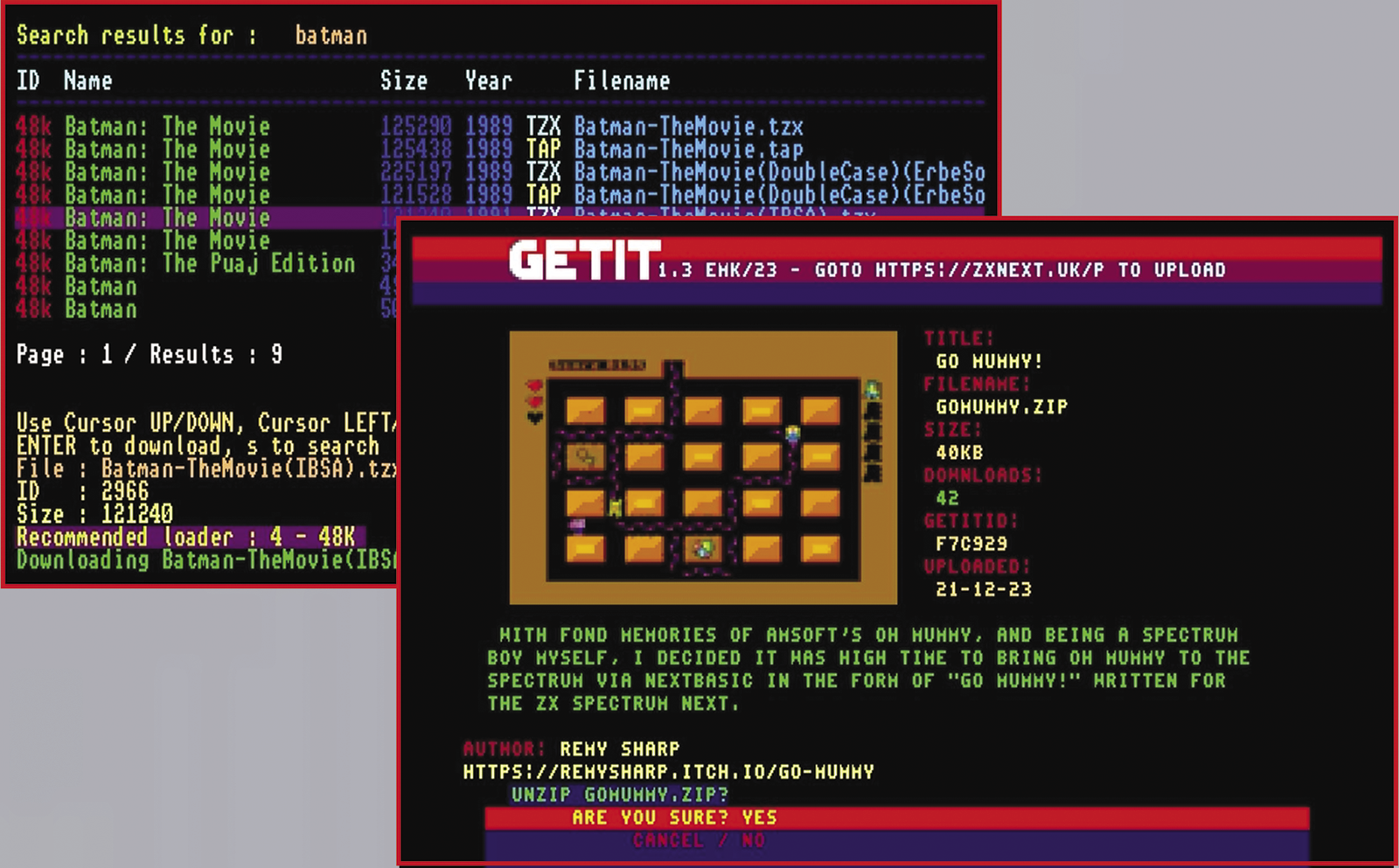
Every KS2 Spectrum Next has built-in WiFi, and it’s easy to connect to your local WLAN. A helpful application that uses the connectivity is the ZXDB Downloader: It is pre-installed (Apps | Wifi | zxdv-dl), connects to a program database, and lets you enter a search term. It then shows you all matching entries, and if you’ve found something you want to try out, just download and run it. GetIt is a similar tool, but it looks even more modern and displays low-resolution screenshots of the apps (Figure 5). GetIt is not pre-installed; the project website has installation instructions.
Modern Times
If you’re interested and want to dig deeper into modern Spectrum machines, check out clones such as the N-Go and more general FPGA systems such as the MiSTer FPGA on which you can also install a Spectrum Next core. Those are options for getting Next-like hardware without waiting for the next Kickstarter campaign, but then you won’t get the pretty keyboard.
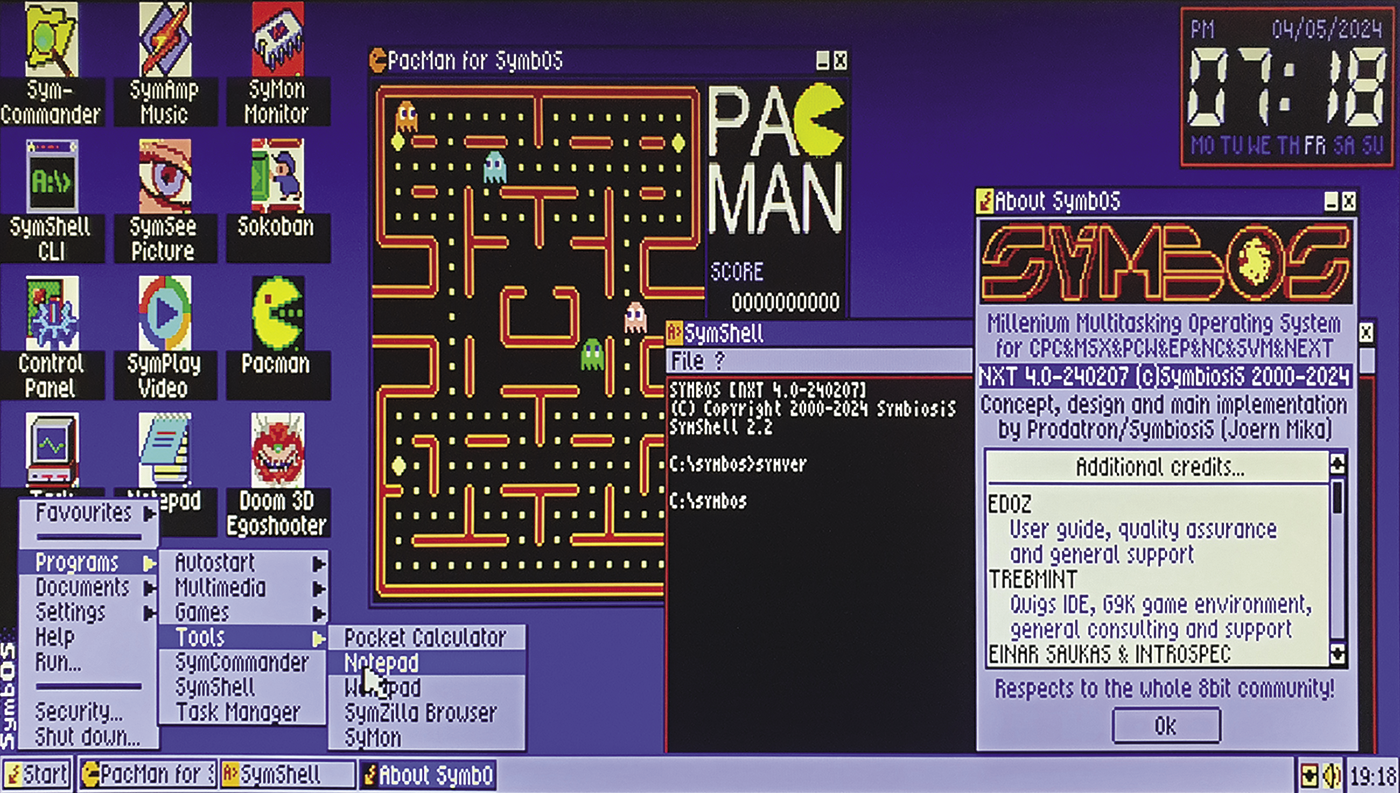
Also, have a look at the SymbOS operating system. It is available for several Z80-based computers, and the project website offers a preview package for the Spectrum Next that brings multi-tasking and a Windows-95-like desktop to the 8-bit computer (Figure 6). The responsiveness of the system is pretty amazing.
If you need some more reading material, have a look at the new Next Magazine, presented by Crash – it’s a bi-monthly A5 publication by FusionRetroBooks that discusses old and new software titles for the Next and helps you learn programming. The very first issue has been published at the end of March.
It’s amazing what 8-bit computers can do. Of course, at 28MHz the Spectrum Next is much faster than its predecessors, but only by a factor of 8.