Virtual Pinball
Emulator apps let you play pinball at home, but that isn’t the same as throwing coins into a real machine. Sharpin’s virtual pinball machines might be a compromise.
I used to play pinball in pubs or video arcades, but finding one of these beautiful machines has become more difficult since the 1990s. Despite this decline, pinball games remain popular. You can find various emulators that run on Windows, Linux, Android, or iOS. While this is fun, it does not replace the experience of standing behind a pinball machine – for the following reasons:
- The horizontal monitor only shows parts of the machine (or might show everything but from a weird angle).
- Flipper controls are completely different (depending on the machine and OS, you may have to press keys, use a gamepad, or swipe certain areas of the display).
- Nudging is typically just another button press or swipe gesture because the computer cannot notice when you hit it.
Virtual pinball machines try to provide the best of both worlds: On the outside they often look like a regular pinball machine, but all mechanical parts are replaced with a large vertical display and a computer that runs a pinball emulator. These machines can be as expensive as the originals. As a more affordable option, the Austrian company Sharpin offers several virtual pinball machine kits, which you assemble at home. The Sharpin Pro and the Sharpin Ultra differ mainly in the included computer. The Sharpin Ultra’s Beelink GT King is more powerful and lets you run some apps that the Sharpin Pro’s Tanix TX6 cannot handle. Table 1 compares the two models, as well as the Ultra Max (an Ultra with an additional display that shows the current score and in-game messages).
Table 1: Sharpin Pinball Machines
|
|
Sharpin Ultra Max |
Sharpin Ultra |
Sharpin Pro |
|
Computer |
Beelink GT King |
Beelink GT King |
Tanix TX6 |
|
CPU |
Amlogic S922X |
Amlogic S922X |
Allwinner H6 |
|
Total # of cores |
6 (4x Arm Cortex A73 @ 1.8GHz, 2x Arm Cortex A53 @ 1.9GHz) |
6 (4x Arm Cortex A73 @ 1.8GHz, 2x Arm Cortex A53 @ 1.9GHz) |
4 (4x Arm Cortex A53 @ 1.5GHz) |
|
GPU |
Mali-G52MP4 @ 846MHz |
Mali-G52MP4 @ 846MHz |
Mali T-720 @ 600MHz |
|
Memory |
4GB DDR4 RAM |
4GB DDR4 RAM |
4GB DDR4 RAM |
|
Storage |
64GB |
64GB |
32GB |
|
Operating system |
Android 9 |
Android 9 |
Android 7 |
|
Display #1 |
22” Full HD display |
22” Full HD display |
22” Full HD display |
|
Display #2 |
10” Android tablet |
– |
– |
|
Apps |
Zen Pinball, Williams Pinball, Pinball Deluxe Reloaded, Bethesda Pinball, Pinball Arcade (and more) |
Zen Pinball, Williams Pinball, Pinball Deluxe Reloaded, Bethesda Pinball, Pinball Arcade (and more) |
Zen Pinball, Williams Pinball, Pinball Deluxe Reloaded (and more) |
|
Website |
https://www.digital-pinball.com/00/sharpin-ultra-max/ |
https://www.digital-pinball.com/00/sharpin-ultra/ |
https://www.digital-pinball.com/00/sharpin-pro/ |
|
Price |
EUR699 (~$769) |
EUR599 (~$659) |
EUR499 (~$549) |
When I ordered the smallest machine in the range, the Sharpin Pro, I received a package with a lot of parts that took me more than an hour to put together: a wooden case, a 21.5-inch Full HD monitor, a Tanix TX6 Android box, eight push buttons, a pair of tiny stereo speakers, a CY-3103 arcade encoder (for the buttons), an audio converter (for connecting the speaker to the Android box’s output), and some cables and material for mounting parts to the case; even the power strip was included (Figure 1). Also in the box, but not visible in the photo, was an acrylic glass cover that protects the monitor.

The (visual) assembly instructions are helpful, but the order of assembly is problematic: Earlier Sharpin models made it possible to slide the monitor out of the completed system so that changes to the wiring and access to the monitor’s connectors and buttons were simply a matter of removing some screws. The current Sharpin Pro does not let you do that. Taking the monitor out would require partially disassembling the system.
It is not clear why Sharpin includes the audio converter – the TX6 Android box connects to the monitor via HDMI and transmits audio through that cable. Plugging the speakers into the monitor’s audio output works just fine. The manual says that audio should go from the TX6 through the audio converter to the speakers. I tested that setup, too. It produced more noise, and the converter needed an extra power adapter.
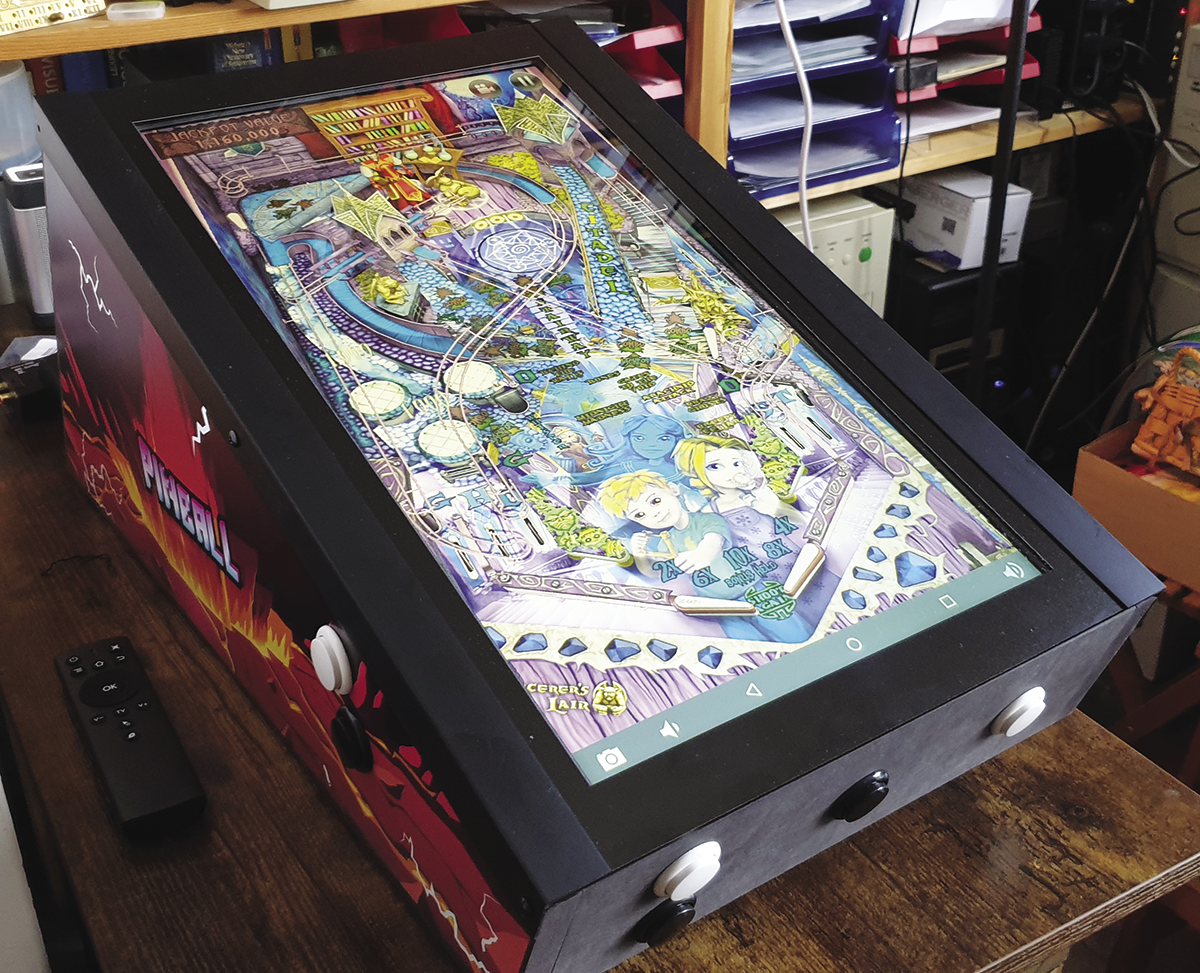
The end result is a very pretty bartop machine (Figure 2). I would only suggest replacing the speakers with better components because they produce a disturbing level of white noise when powered up, and the overall audio quality is very poor. Of course, that is to be expected: The speakers cost less than EUR9 (~$10). I connected a luxurious Bose SoundLink speaker that offers better audio, and now my pinball machine looks and sounds fine.
Pinball Apps
The Android store offers a lot of pinball apps, but not all of them are compatible with the Sharpin machines: Some apps have been designed for smartphones and tablets with a touchscreen, and you can only trigger their flippers via swipe gestures on the display. The Sharpin machines use regular computer monitors and transmit button-press events to the apps.
Here is an incomplete list of apps that do work:
- Zen Pinball
- Williams Pinball
- Pinball Deluxe Reloaded
- Pinball Arcade*
- Zaccaria Pinball*
- Bethesda Pinball*
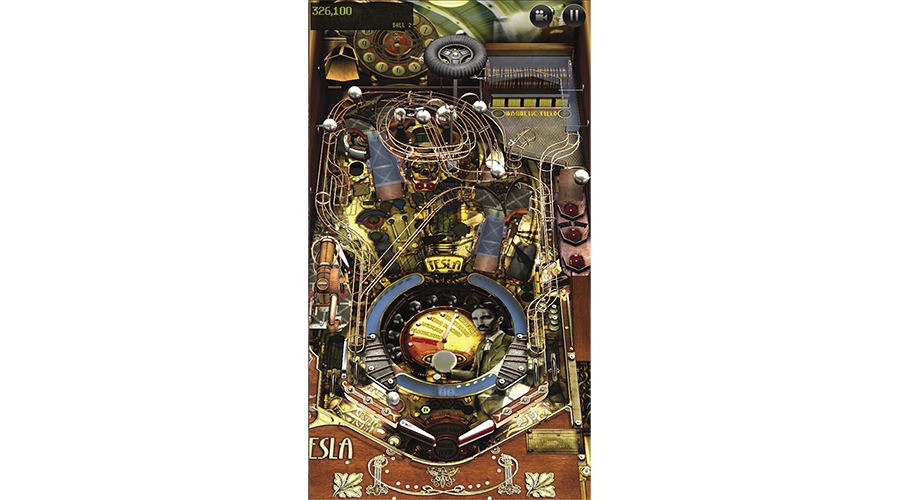
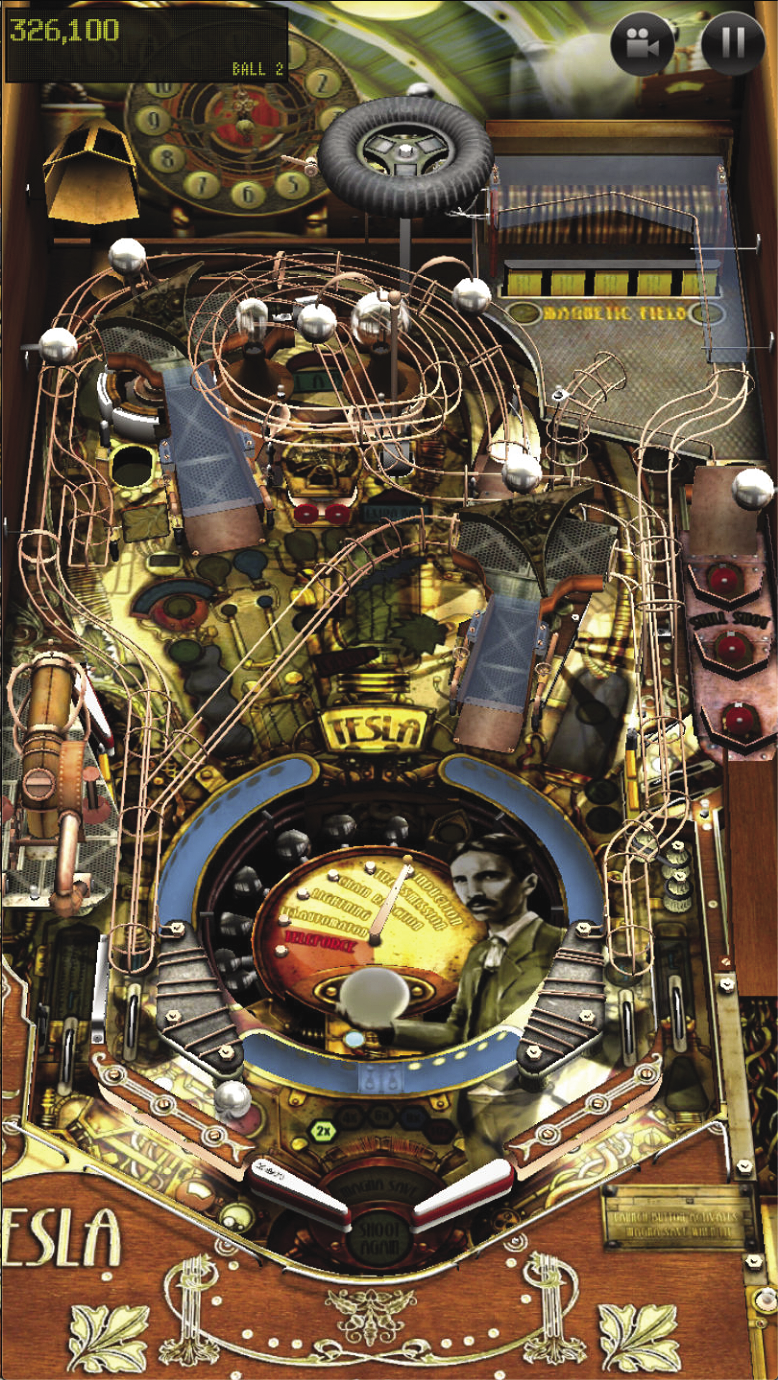
The apps marked with an asterisk run on the Sharpin Pro, but they don’t run well. Ball movements often look weird, and the frame rate is so low that playing with these apps isn’t fun. The first three apps, however, work just fine. In Zen Pinball, I tried the default table (Sorcerer’s Lair) and one I bought for about EUR1 (Tesla, shown in Figure 3). Both worked smoothly even though they display complex graphics with lots of moving elements. Williams Pinball is made by the same company as Zen Pinball and also works well. Pinball Deluxe (Figure 4) is much simpler and looks like early pinball simulators for DOS or Windows. It runs even more smoothly.
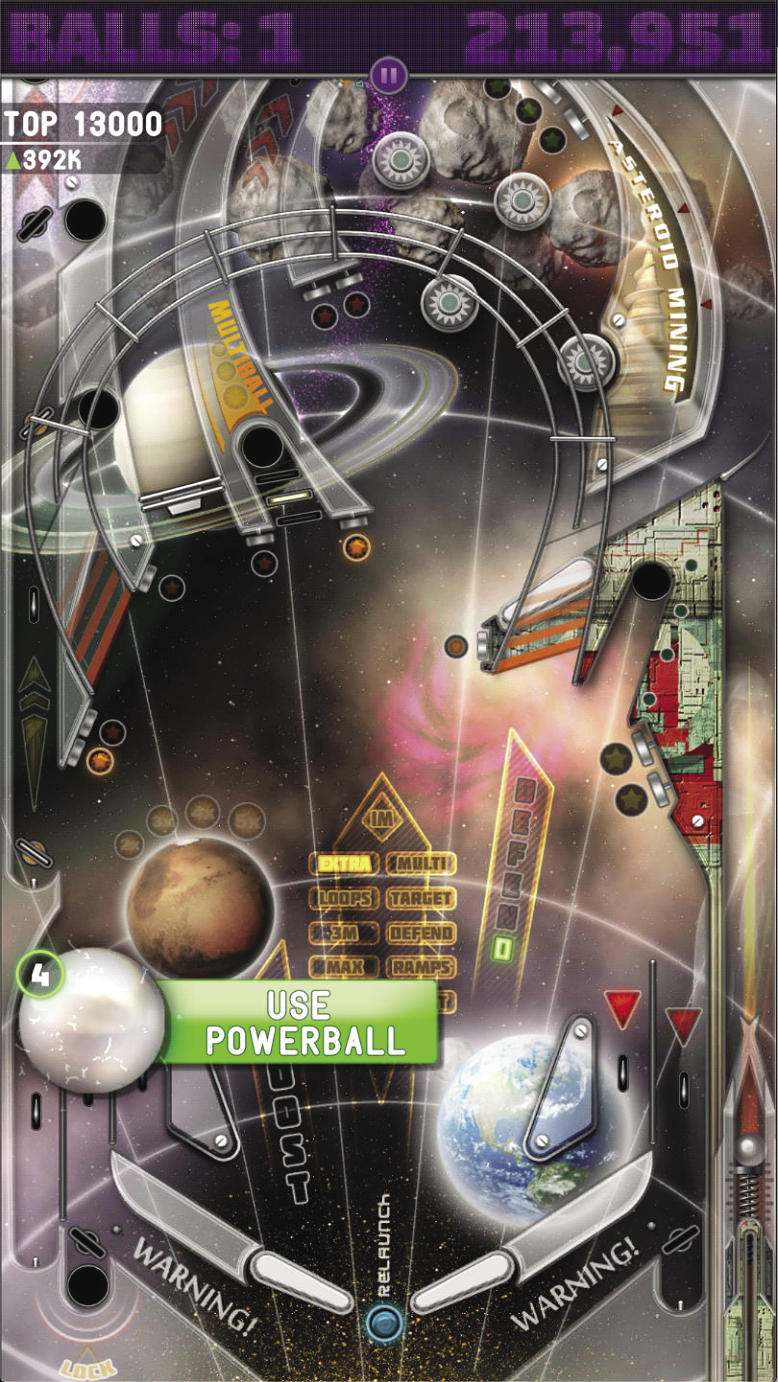
In Zen Pinball, you can perform all actions with the buttons on the pinball machine. For some of the other apps, you will need to grab the remote that comes with the kit: It has some buttons and can either work as a reduced keyboard (with cursor keys) or as an air mouse.
Sadly, none of the three well-supported apps can handle nudging. Each side of the Sharpin case has two buttons: The lower ones handle the left and right flippers, and the upper ones should nudge the pinball machine. The upper buttons do have that functionality in some of the other apps (e.g., Pinball Arcade) but not on those that run so well on the Sharpin Pro. Zen and Williams have nudge support, but they expect you to make gestures on the touchscreen – they cannot be configured to work with buttons. Pinball Deluxe let me configure the nudge buttons but ignored them when playing.
Replacing the TX6
If you find that the Android system runs too sluggishly, try replacing it with a Raspberry Pi 4. You don’t have to set it all up yourself: Grab the [8gb]-UNloaded.Pinball.Rpi4-Shaggy image from Arcade Punks and switch it to vertical mode via Settings | System | Advanced | Advanced Settings | Display Rotation | 90 (or 270). Alternatively, it is also possible to connect a regular PC and run your favorite games on Windows or Linux.
When I connected the CY-3103 arcade encoder (that handles the buttons) to a Linux machine, it was not automatically recognized. The xbox module is not compatible with this part, but you can install the xboxdrv package and run a command such as
sudo xboxdrv --ui-buttonmap A=KEY_A,B=KEY_B -s
which will capture button events for the A and B buttons and translate them to A and B key-press events, respectively (Figure 5). A modified version can handle all the buttons that are connected to the CY-3103 controller.

Alternatives
Depending on your location, ordering one of the Sharpin Pinball machines might be a costly option: When I changed the destination country to USA, Canada, or Australia, the shop added a EUR149 (~$164) postage fee; shipping to the UK is EUR49, and EU customers pay EUR25.
An interesting alternative for readers in the USA and Canada: ATGames is currently offering their Legends Pinball Plus for $750. It has a double monitor setup (like the Sharpin Ultra Max) but with much larger displays. The main display is a 32-inch screen, and the second display has a 15.6-inch diagonal. You can check out a review on YouTube.
Delivery to my home in the EU was cheap, and I do like the Sharpin Pro. The only regret I have is that I didn’t pay the extra EUR100 to get an Ultra model (instead of the Pro) that would let me use the more demanding apps. If you’re interested in an Android-based pinball machine, try the apps on your Android phone or tablet first. That way you can find out whether you like the available tables.